
How do Payment Splits work?
With Melodist, payment / royalty splits are easy and free for all of your collaborators! When you assign a split to them they'll be prompted to a create a free account where they can cash out their royalties directly to their bank account.
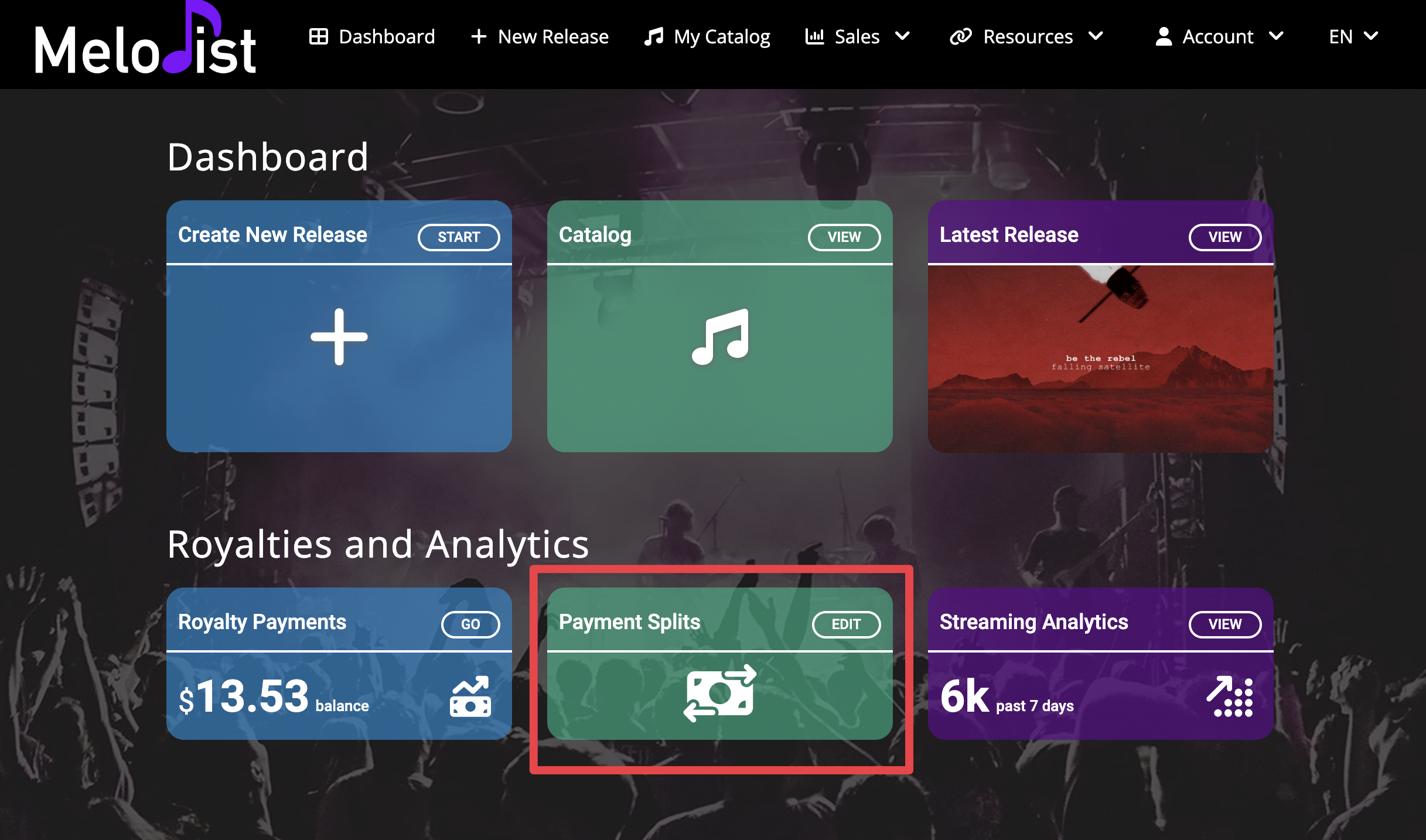
1. Log into your Melodist dashboard and choose Payment Splits
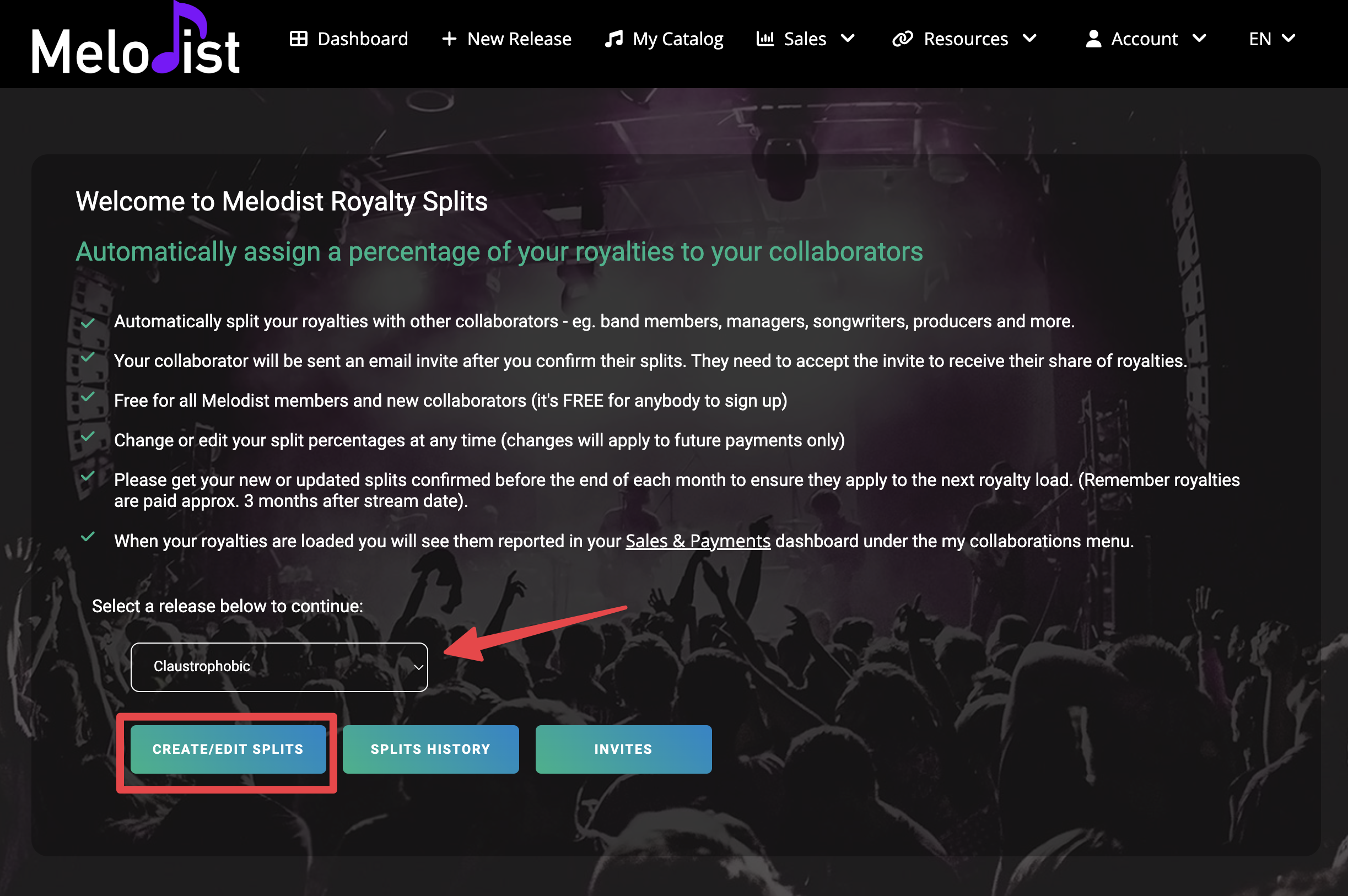
2. Select your release and click Create / Edit Splits
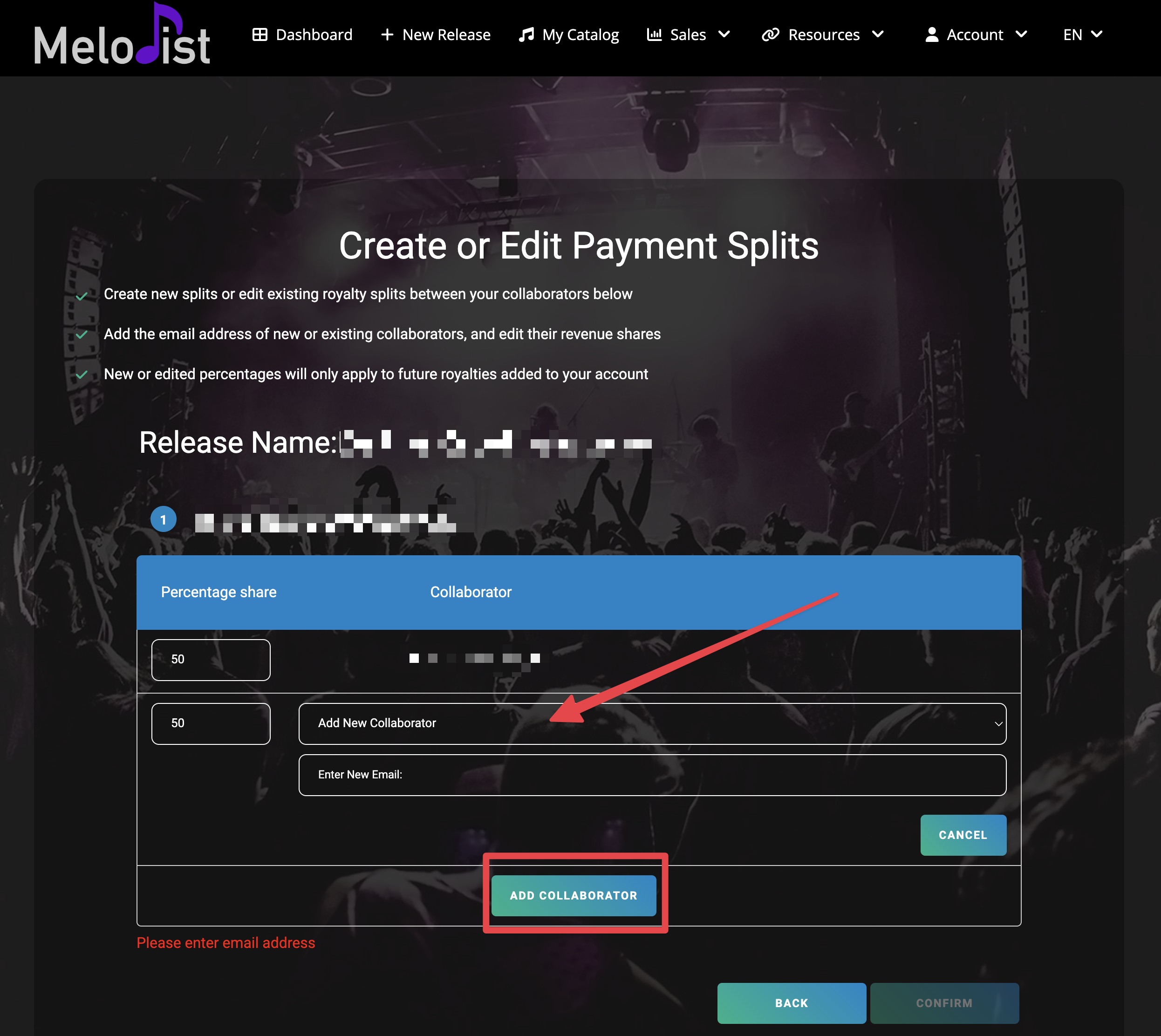
3. Add your collaborator(s) and allocate the percentage share
That's it! Your collaborators will receive an email invite to create a free account at Melodist and cash out their royalties.
 That's it! Your collaborators will receive an email invite to create a
 You can change or edit your split percentages at any time, but keep in mind that changes will apply to future payments only. Please get your new or updated splits confirmed before the end of each month to ensure they apply to the next batch of royalties that come in for your music.